

Free Fire APK Download Latest Version 2026 – Safe, Fast & Updated (OB53)
If you searched for “Free Fire APK download latest version,” you’re probably in one of three situations: your Play Store isn’t showing the update, you’re in a region where the store listing is delayed, or your device just isn’t triggering the automatic update. All three are common, and all three have a clean solution.
This guide covers everything you need — the current version, exact file details, safe download methods, step-by-step installation, device requirements, and what actually changed in the latest OB53 update.
Free Fire Latest Version Details (May 2026)
Before downloading anything, confirm you’re getting the right build. Here’s the current version at a glance:
| Detail | Info |
|---|---|
| Latest Version | 1.123.1 (OB53) |
| Update Name | Undersea Mystery |
| Release Date | April 8, 2026 |
| APK File Size | ~372–373 MB |
| Developer | Garena International I |
| Package Name | com.dts.freefireth |
| Android Required | Android 5.0 or higher |
| iOS Support | Yes (via App Store only) |
| Free Fire MAX Version | 2.123.1 (same OB53 content) |
| Next Update (OB54) | Expected June 2026 |
Important: If your installed version already shows 1.123.1, you have the latest build. No action needed. Only download an APK manually if your Play Store or regional store isn’t showing the update.
Where to Download Free Fire APK Safely
There is exactly one rule here: only download from sources that host original, unmodified APK files.
Garena does not offer a direct APK download link on their website. The official channels are the Google Play Store and Apple App Store. For manual APK downloads, the three most trusted third-party sources are:
- Google Play Store (recommended — automatic updates, zero setup)
- APKPure (apkpure.com) — scans files before hosting; version 1.123.1 confirmed clean
- Uptodown (uptodown.com) — long-standing APK repository with version history
- APKMirror — mirrors official Play Store APKs with signature verification
Avoid any site offering a “Free Fire MOD APK,” “Free Fire Hack APK,” or an unusually small file (under 50 MB for the full game). Modified APKs are unofficial builds that can contain malware, cause crashes, or get your account permanently banned. The risk is never worth it.
How to Download & Install Free Fire APK on Android (Step-by-Step)
Method 1 – Via Google Play Store (Easiest)
- Open Google Play Store
- Search “Garena Free Fire”
- Tap Install (new) or Update (existing)
- Wait for download to complete
- Tap Open and log in
That’s it. The Play Store handles everything — no settings to change, no permissions to grant manually.
Method 2 – Manual APK Install (When Play Store Isn’t Working)
Use this method if your Play Store shows an older version, your region has a delayed rollout, or you’re sideloading on a device without Google services.
Step 1 – Enable Unknown Sources Go to: Settings → Security → Install Unknown Apps Find your browser (Chrome) or file manager and toggle Allow from this source to ON.
On Android 8 and above, this permission is app-specific rather than a global toggle. You only need to enable it for whichever app you’re using to open the APK.
Step 2 – Download the APK Visit APKPure or Uptodown in your browser. Search “Garena Free Fire” and select version 1.123.1. Tap Download.
Step 3 – Install Open your Downloads folder. Tap the downloaded .apk file. Tap Install when the system prompt appears.
Step 4 – First Launch After installation, open Free Fire. The game will download additional game data (maps, assets, textures) on first launch — this can take 200–400 MB depending on your settings. Make sure you’re on Wi-Fi for this step.
Step 5 – Disable Unknown Sources (Optional but Recommended) After installation is complete, go back to Settings and turn off the Unknown Apps permission to keep your device secure.
How to Download Free Fire on iOS (iPhone/iPad)
iOS does not support manual APK installs — Apple’s system uses .IPA files, not APKs, and sideloading is heavily restricted. The only safe method on iPhone or iPad is:
- Open the App Store
- Search “Garena Free Fire”
- Tap Get or Update
If Free Fire isn’t available in your country’s App Store, you’ll need to create an Apple ID in a supported region (most commonly Singapore, India, or the US) and switch your store region to download it. Never download iOS game files from unofficial third-party websites.
What’s New in Free Fire OB53 (Version 1.123.1)
The OB53 update, codenamed Undersea Mystery, launched on April 8, 2026. It’s one of the more visually distinct updates Free Fire has shipped in recent cycles.
Key Features in OB53:
Undersea Realm A new explorable zone has been added at Nurek Dam in Bermuda. Players can dive into an underwater area with richer loot, including an interactive sword statue that drops high-tier items. The zone changes the resource economy in that part of the map and makes Nurek Dam a significantly hotter drop.
Whale Plane The airplane at the start of every match has been redesigned as a giant whale. It’s cosmetic, but it makes every match opening feel fresh — and in a game you play hundreds of times, that matters more than it sounds.
New Character – Ray Ray’s ability links to a target enemy. When that target’s HP drops low, Ray can knock them down instantly — and the skill resets on each takedown. This suits aggressive close-range players who consistently pressure targets rather than waiting for kills to fall into their lap.
Hydro Blaster (Event Weapon) A new water-based weapon introduced as part of the Undersea Mystery event. Available for a limited time during the event window.
Clash Squad Random Events CS matches now include random modifiers at the start of rounds — free Gloo Walls, boosted starting funds, and other variables. This shakes up the early-round economy in CS and rewards players who adapt quickly rather than running the same build every round.
Pyro Pet A new in-game companion. Keep Pyro active during matches to accumulate progress and unlock cosmetic outfits for it over time.
BR Revivals Expanded More revival opportunities in Battle Royale for both solo and team formats. This reduces early-game elimination frustration and extends average match participation — especially useful for players still building game sense.
What’s Coming in OB54 (June 2026)
The next major update, OB54, is expected in the first half of June 2026, timed with Free Fire’s 9th Anniversary celebration.
Known details so far:
- Anniversary runs approximately June 24 – July 15, 2026
- Free Magic Cube available during anniversary events (one of the game’s most valuable in-game currencies)
- Gold Store redesigned — significant changes to what’s purchasable and at what cost
- Eclipse Rise storyline conclusion — the ongoing narrative arc wraps up in OB54
- Advance Server testing begins late May 2026 (Android only, requires activation code from Garena)
For daily updates on OB54 rewards and redeem codes, bookmark freefirecenter.com.
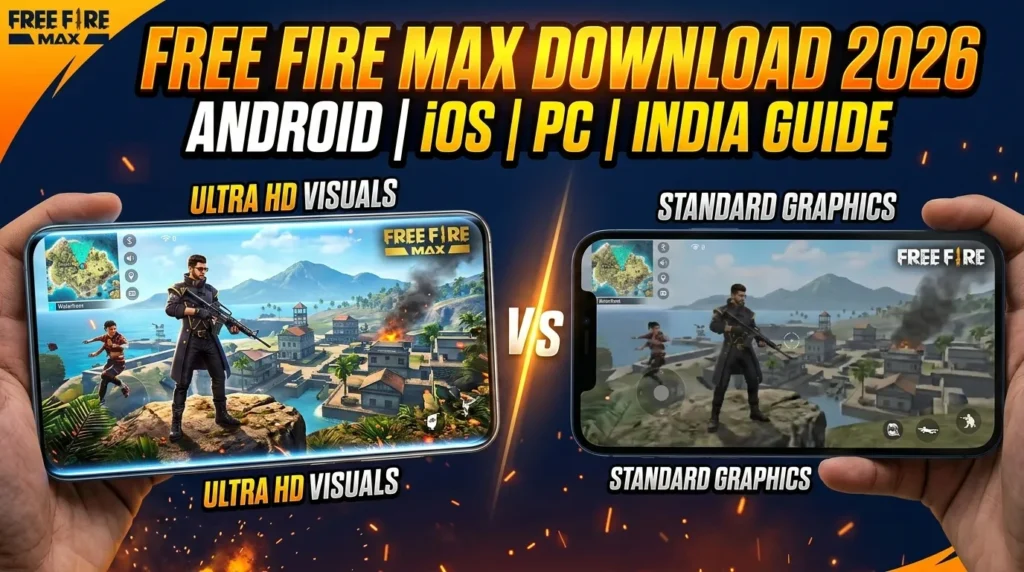
Free Fire vs Free Fire MAX – Which APK Should You Download?
This confuses a lot of players. Here’s the short answer:
Free Fire (1.123.1) — the original version. Smaller install, runs on a wider range of devices including older and low-RAM phones. The standard choice for most players.
Free Fire MAX (2.123.1) — enhanced graphics version. Higher resolution textures, more detailed character models, better visual effects in menus and matches. Requires a more capable device.
Critical point: Both versions use Garena’s Firelink technology, meaning players on Free Fire and Free Fire MAX are on the same servers. You can play against each other regardless of which version you’re on. Your account, progress, items, and rank carry across both — you don’t lose anything by switching.
If your phone is newer (2022 or later, 4GB+ RAM), download MAX. If you’re on a budget device or experiencing lag, stick with the standard version.
Device Requirements
Free Fire (Standard)
| Requirement | Minimum |
|---|---|
| Android Version | Android 5.0+ |
| RAM | 2 GB (3 GB recommended) |
| Storage Space | ~600 MB free minimum |
| Processor | Quad-core 1.5 GHz |
| Internet | Stable 4G or Wi-Fi |
Free Fire MAX
| Requirement | Minimum |
|---|---|
| Android Version | Android 5.0+ |
| RAM | 3 GB minimum (4 GB recommended) |
| Storage Space | ~800 MB–1 GB free |
| Processor | Octa-core recommended |
| Internet | Wi-Fi recommended |
Common Installation Errors & Fixes
“App not installed” error This usually means a conflicting version is already on your device — often from a different store or an old download. Uninstall the existing app, clear its cache in Settings → Apps, then try installing the new APK again.
“Parse error” The APK file downloaded incorrectly or got corrupted. This happens on unstable connections. Delete the file and re-download on a stable Wi-Fi connection.
“Unknown sources not enabled” You skipped Step 1. Go to Settings → Security → Install Unknown Apps and enable it for the app you’re using to install the file.
“Not enough storage” Free Fire requires free space both for the installer and for the game data it downloads on first launch. You need at least 800 MB free before starting — not just for the APK itself, since the installer also keeps the source file on device during extraction.
Game installs but won’t open / crashes immediately Your device likely doesn’t meet the minimum RAM requirement. Close all background apps, restart your phone, then try opening again. If it still crashes, your device may not support the current version.
Play Store shows wrong version / won’t update Clear the Play Store cache: Settings → Apps → Google Play Store → Clear Cache. Then restart the app and try the update again.
Is It Safe to Download Free Fire APK Manually?
Yes — if you use a verified source. APKPure, Uptodown, and APKMirror mirror official Play Store builds. APKPure specifically shows a 0/48 security scan result (confirmed clean by their internal scanner for version 1.123.1).
The risks only appear when:
- You download from random websites offering “cracked” or “modded” versions
- The file size is significantly different from the official APK (~372 MB)
- The site asks you to complete surveys, share data, or create an account before downloading
If any of those conditions appear, leave the site immediately. The official APK is free and requires no registration anywhere.
Frequently Asked Questions
What is the latest Free Fire version in 2026? The current latest version is 1.123.1 (OB53 – Undersea Mystery), released on April 8, 2026.
Can I play Free Fire on PC? Yes. Use an Android emulator such as GameLoop (Tencent’s official emulator), BlueStacks, or MEmu. Download the APK and install it inside the emulator, or install directly from the emulator’s built-in store.
Is Free Fire banned in India? Free Fire (the original version) was temporarily banned in India in 2022 but is currently available again. Free Fire MAX was not part of that ban and has been available continuously. Both are accessible in India in 2026.
Will downloading an APK delete my account progress? No. Your account, rank, diamonds, and items are stored on Garena’s servers, not on your device. Reinstalling or updating the APK simply downloads the game client — your account data remains untouched.
How do I update Free Fire without losing data? Update directly from the Play Store or install the newer APK over the existing installation (don’t uninstall first). Your data is server-side and won’t be affected either way.
Does Free Fire work offline? No. Free Fire requires an active internet connection for all game modes. There is no offline play.
How do I get free diamonds in Free Fire? Through daily redeem codes, seasonal events, and Google Opinion Rewards. Free Fire Center publishes verified daily redeem codes — check back every day for fresh codes.
Summary
The latest Free Fire APK version is 1.123.1 (OB53), released April 8, 2026. Download it from the Google Play Store for the simplest experience, or from APKPure / Uptodown if your store isn’t showing the update. The OB53 update brought the Undersea Realm zone, a new character (Ray), the Whale Plane, Clash Squad random events, and expanded BR revivals.
The next update (OB54) is expected in June 2026 alongside Free Fire’s 9th Anniversary, which includes a free Magic Cube and Gold Store redesign.
Keep your game updated, stick to official or verified APK sources, and stay ahead of every update at freefirecenter.com.
0 Comments
No comments yet.