free fire center transparent logo
  • Home
  • About Us
  • Tools
  • Blogs
  • Wallpapers
  • Community
  • Contact Us
Login Register

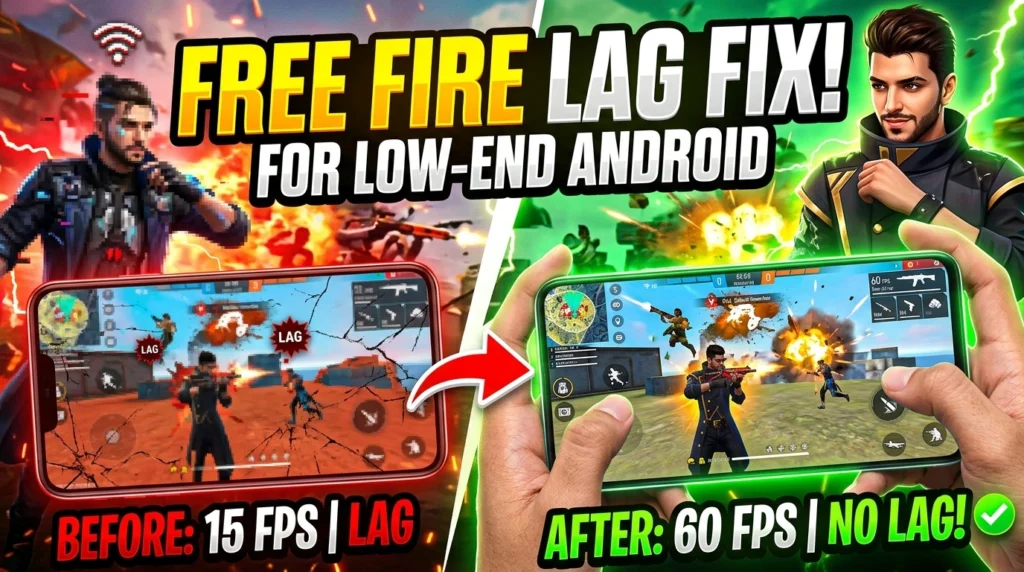
Free Fire Lag Fix for Low-End Android Phones

All Uncategorized Esports free fire names google play redeem codes
Free Fire Lag Fix for Low-End Android Phones
Uncategorized

Free Fire Lag Fix for Low-End Android Phones

Free Fire Lag Fix for Low-End Android Phones (2026 Guide) If Free Fire keeps freezing, skipping frames, or dropping to a crawl....

Read More
Get Google Play Redeem Codes for Free google play redeem codes
26 Jun 2026 8 min read

How to Get Google Play Redeem Codes for Free in India – 5 Real Methods That Actually Work

Last Updated: June 2026 | Reading Time: 8 min | Works for: Free Fire,...

Read More
Free Fire Best Style Names free fire names
28 May 2026 8 min read

Free Fire Best Style Names 2026 – 500+ Stylish FF Names for Boys, Girls & Guilds

Free Fire Best Style Names 2026 – 500+ Stylish FF Names for Boys, Girls...

Read More
Free Fire EWC Complete Guide to Free Fire at the Esports World Cup Esports
24 May 2026 10 min read

Free Fire EWC Complete Guide to Free Fire at the Esports World Cup

If you follow Free Fire esports, you already know that the Esports World Cup...

Read More

Search

Categories

  • Uncategorized 1
  • Esports 1
  • free fire names 1
  • google play redeem codes 1

Recent Posts

Free Fire Lag Fix for Low-End Android Phones
Free Fire Lag Fix for Low-End Android Phones 2 Jul 2026
Get Google Play Redeem Codes for Free
How to Get Google Play Redeem Codes for... 26 Jun 2026
Free Fire Best Style Names
Free Fire Best Style Names 2026 – 500+... 28 May 2026
Free Fire EWC Complete Guide to Free Fire at the Esports World Cup
Free Fire EWC Complete Guide to Free Fire... 24 May 2026

Free Fire Lag Fix for Low-End Android Phones (2026 Guide)

If Free Fire keeps freezing, skipping frames, or dropping to a crawl the moment a gunfight starts, you’re not alone. Most lag complaints come from phones with 2GB or 3GB RAM, older chipsets, or storage that’s almost full — and the good news is that nearly all of it is fixable without buying a new phone.

This guide walks through every real fix that actually works on low-end Android devices, in the order you should try them.

Why Free Fire Lags on Low-End Phones

Before jumping into fixes, it helps to know what’s actually causing the lag:

  • Limited RAM (2GB–3GB): The game gets killed in the background or struggles to load textures fast enough, causing stutters.
  • Weak or outdated GPU/chipset: Entry-level processors can’t render high graphics smoothly, especially during Battle Royale drops or Clash Squad fights.
  • Overheating: Once your phone crosses a certain temperature, Android automatically throttles performance to protect the hardware — this shows up as sudden lag spikes.
  • Low internal storage: Less than 1–2GB of free space slows down how fast the game reads and writes data.
  • Background apps and bad network conditions: Apps eating RAM in the background, or unstable Wi-Fi/mobile data, both cause visible lag even on decent phones.

Once you know the cause, the fix becomes obvious. Here’s the full checklist.

1. Switch to Smooth Graphics + Low Frame Rate

This is the single biggest fix for low-end devices.

  • Open Free Fire → Settings → Graphics
  • Set Graphics Quality to Smooth
  • Set Frame Rate to Low (only bump to Medium if the phone handles Smooth without stutter)

Smooth mode strips back shadows, reflections, and detailed textures — exactly the things that hurt low-RAM phones the most.

2. Turn Off Unnecessary In-Game Effects

Inside Settings → Graphics, also disable:

  • Shadows
  • Aim Assist visual effects (if available)
  • Background HD environment detail (in some regions listed as “Image Quality”)

These run in the background even during downtime and quietly eat frame rate.

3. Clear Cache Regularly (Not Just Data)

Go to Android Settings → Apps → Free Fire → Storage → Clear Cache (not Clear Data — that wipes your login).

Do this once every few days. Free Fire’s cache builds up quickly with map assets, and a bloated cache is one of the most common causes of stutter on phones with under 4GB RAM.

4. Free Up Internal Storage

Keep at least 1.5–2GB of free internal storage at all times. Low storage forces Android to slow down all read/write operations, including the ones Free Fire needs to load matches and textures.

Quick wins:

  • Delete unused apps and duplicate photos/videos
  • Move media to cloud storage or SD card
  • Clear WhatsApp/Instagram cache (these are often bigger offenders than Free Fire itself)

5. Close Background Apps Before Launching

On 2GB/3GB RAM phones, even one or two background apps can push Free Fire out of memory mid-match, causing a hard freeze. Before playing:

  • Force-close social media and browser apps
  • Avoid using split-screen or floating apps while in-game
  • Turn off auto-sync for apps you don’t need (Settings → Accounts → Auto-sync)

6. Update Free Fire and Your Android System

Outdated app versions often carry unresolved performance bugs. Check:

  • Play Store → Free Fire → Update (if available)
  • Android Settings → System → Software Update

Garena regularly optimizes newer OB updates for lower-end hardware, so staying updated can genuinely help.

7. Manage Heating Issues

If your phone gets hot after 15–20 minutes of play:

  • Remove the phone case while playing
  • Avoid charging while playing ranked matches
  • Take a 5-minute break every couple of matches to let the chipset cool down
  • Play in a cooler room or avoid direct sunlight

Thermal throttling is invisible until it happens — the game just suddenly feels laggy for no reason, and this is usually why.

8. Use a Stable Network Connection

Graphics lag and network lag look similar but need different fixes:

  • Prefer Wi-Fi over mobile data when possible
  • If using mobile data, switch to 4G/5G rather than 3G
  • Close other devices/apps consuming bandwidth on the same network
  • Try switching Free Fire’s in-game server region if ping stays consistently high

9. Restart Your Phone Before Ranked Sessions

A simple restart clears leftover background processes and temporary memory buildup — something clearing cache alone doesn’t always fix. Doing this before a ranked session can noticeably reduce the chance of mid-match freezes.

Recommended Settings Summary for 2GB/3GB RAM Phones

Setting Recommended Value
Graphics Quality Smooth
Frame Rate Low
Shadows Off
Aim Assist Effects Off
Cache Cleared every 3–4 days
Free Storage 1.5GB+ minimum

FAQs

Why does Free Fire lag even on Smooth graphics? This usually points to background apps, low storage, or overheating rather than the graphics setting itself. Work through the cache, storage, and background-app fixes above.

Does clearing cache delete my Free Fire progress? No. Clearing cache only removes temporary files. Clearing Data would remove your login and progress, so always choose Cache only.

Will a lag fix work permanently, or do I need to repeat it? Cache buildup and storage clutter happen again over time, so clearing cache and freeing storage is something worth doing weekly, not just once.

Is Low Frame Rate bad for gameplay accuracy? No — on low-end phones, a stable low frame rate gives smoother, more predictable aim than a high frame rate that keeps stuttering.

Still getting lag after trying all of the above? Pair this with our [Free Fire Sensitivity Settings guide] to make sure your control setup isn’t adding to the problem.

free fire center transparent logo

Free Fire Center is your all-in-one Free Fire hub. Earn FFC Coins by watching ads, redeem for Google Play codes, use player tools, download HD wallpapers, and connect with the community.

Quick Links

  • Home
  • Tools
  • Blogs
  • Wallpapers
  • Tournaments

Account

  • Login
  • Register
  • Post to Community

Legal

  • About Us
  • Contact Us
  • Privacy Policy
  • Disclaimer

Copyright © 2026 Free Fire Center. All rights reserved. Not affiliated with Garena or Free Fire.

Free Fire is a trademark of Garena International.